 |

Overview
How to add a reusable signature to your account within the app
- Purpose: Adding a digital signature within the app to reuse on items within RDrive.
- Who It’s For: General users
Prerequisites: RDrive Access
Step-by-Step Instructions
✅ Step 1: Accessing your Account Settings
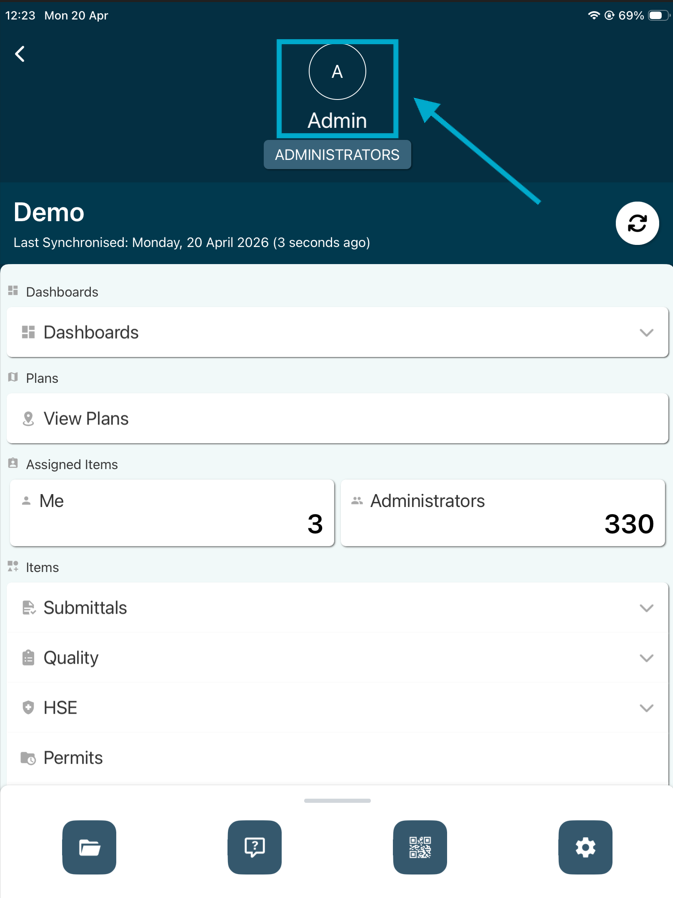
- Once logged into the app, click your name at the top of the screen
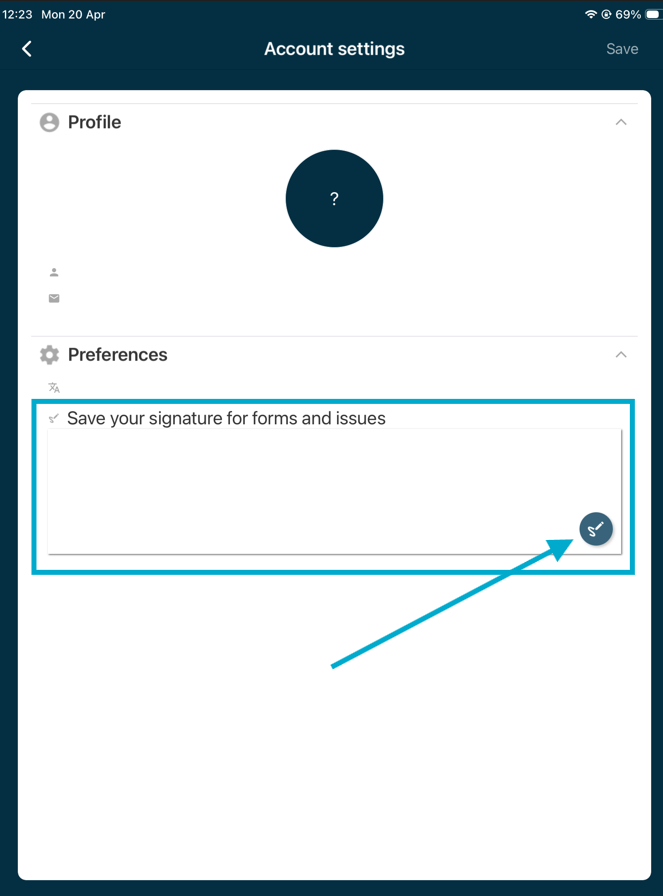
- From the preference tab, click into the signature box or press the pen icon to add your signature.
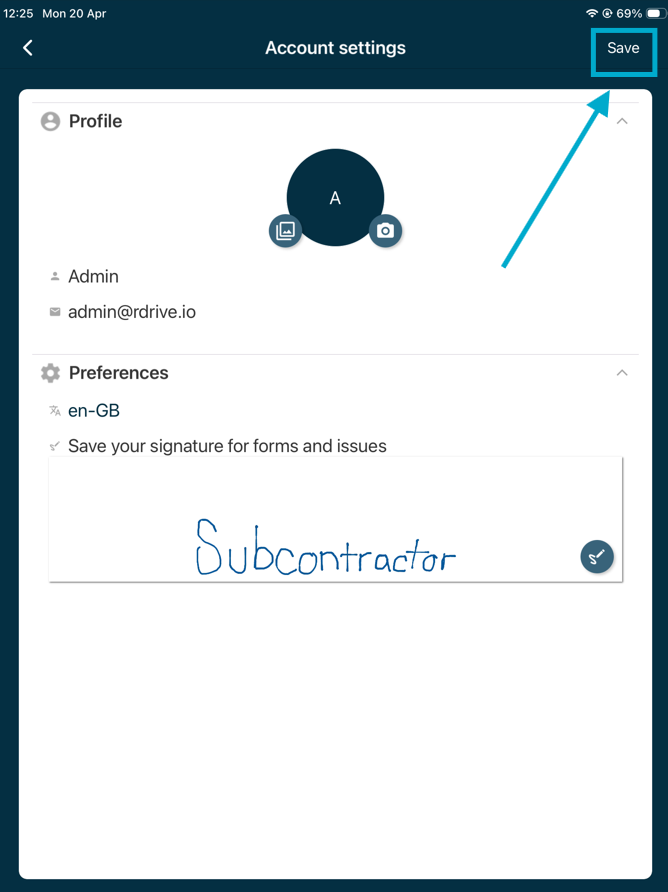
- Add your signature by dragging on the screen then click "Save" in the top left corner. You will now be able to use this signature repeatedly from now on.
Was this article helpful?
That’s Great!
Thank you for your feedback
Sorry! We couldn't be helpful
Thank you for your feedback
Feedback sent
We appreciate your effort and will try to fix the article