 |
Overview
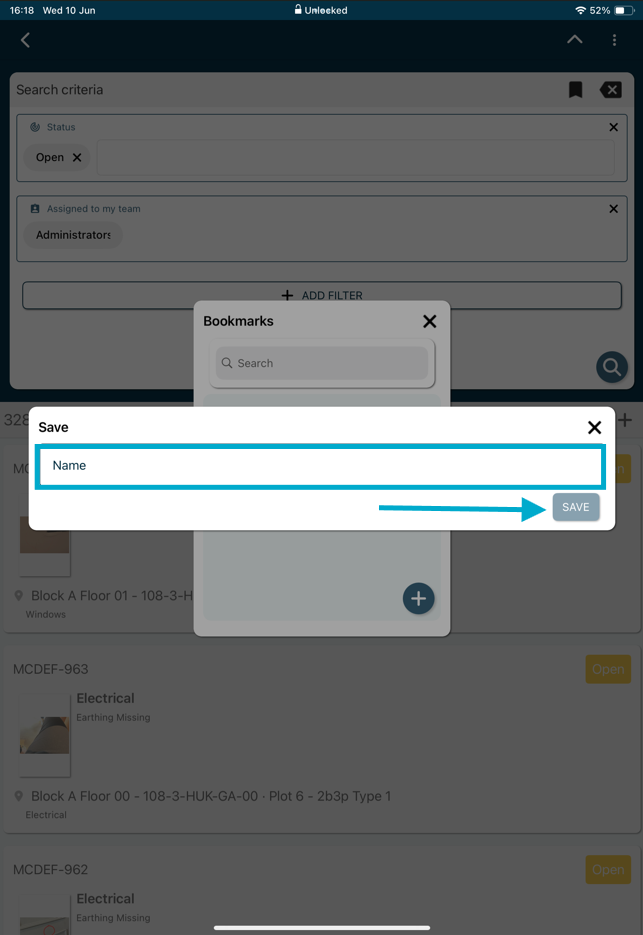
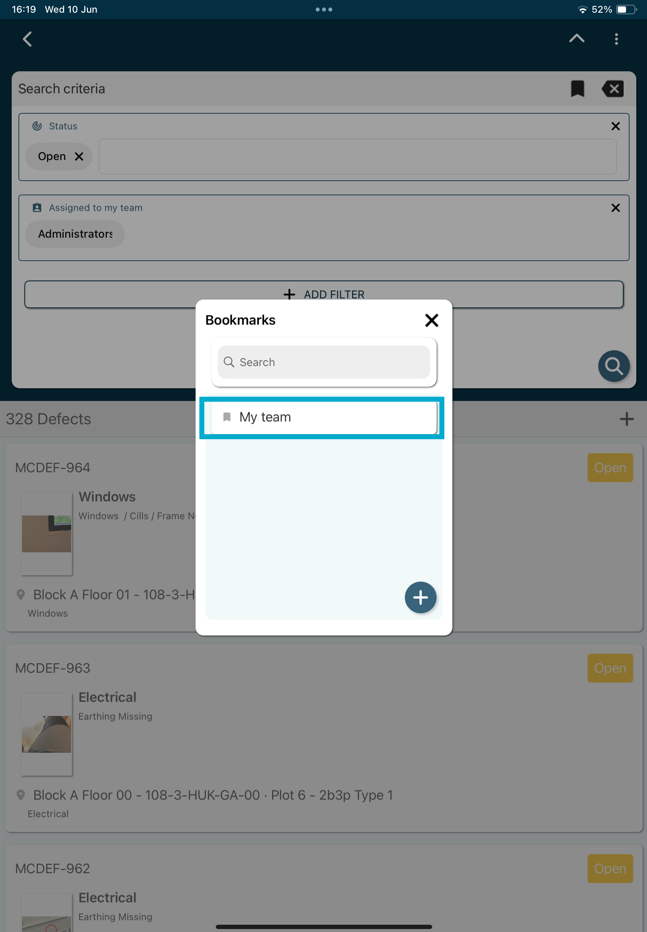
How to save a bookmark for later use within RDrive
- Purpose: How to add and save a filter bookmark on RDrive
- Who It’s For: General users
Prerequisites: RDrive access
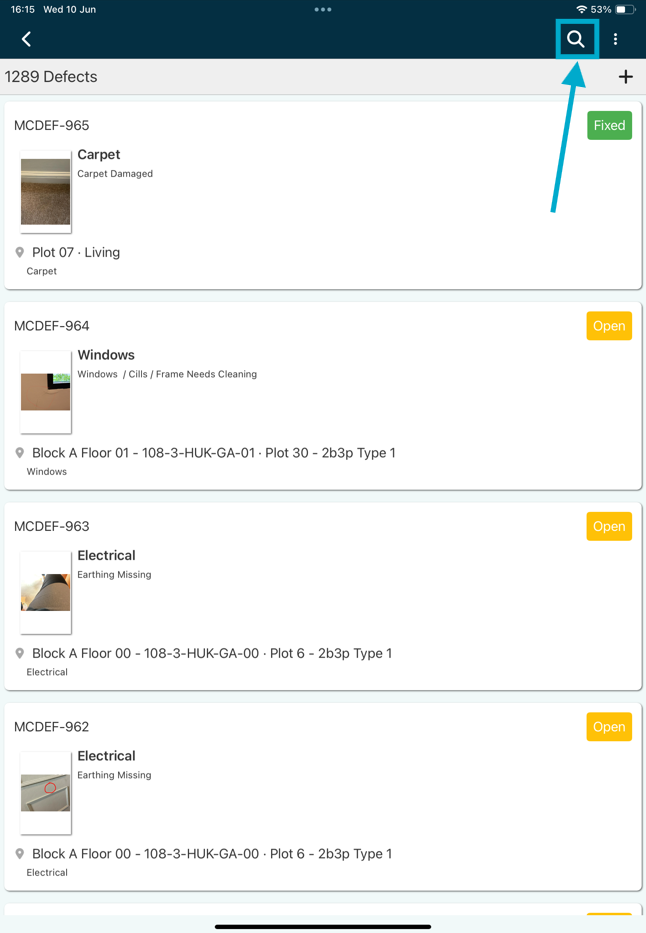
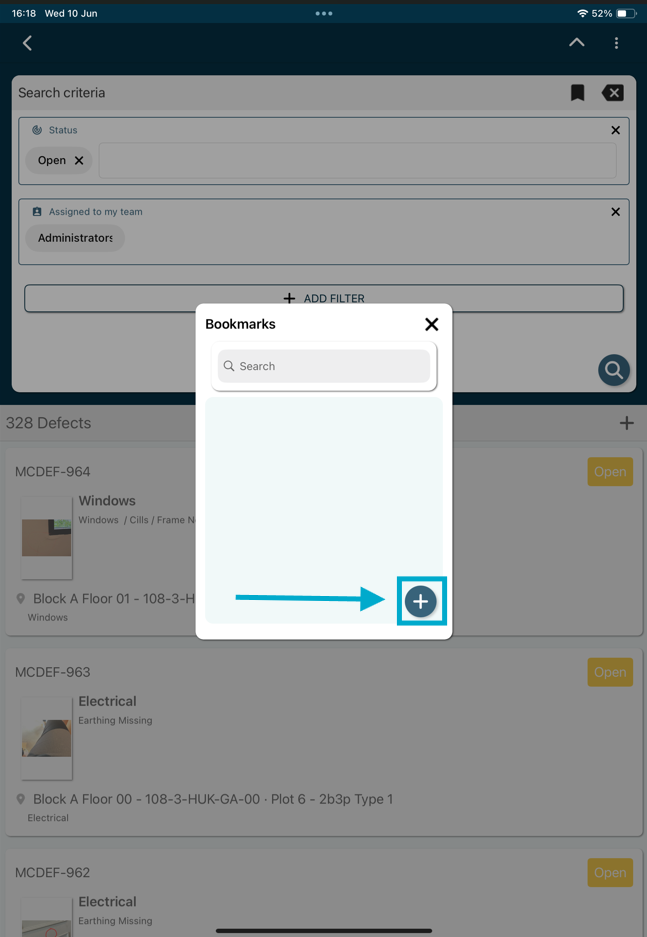
To quickly apply filters you can save a bookmark, this allows you to add multiple specific filters and access this quickly, from the finder, click the magnifying glass in the top right corner of the app.
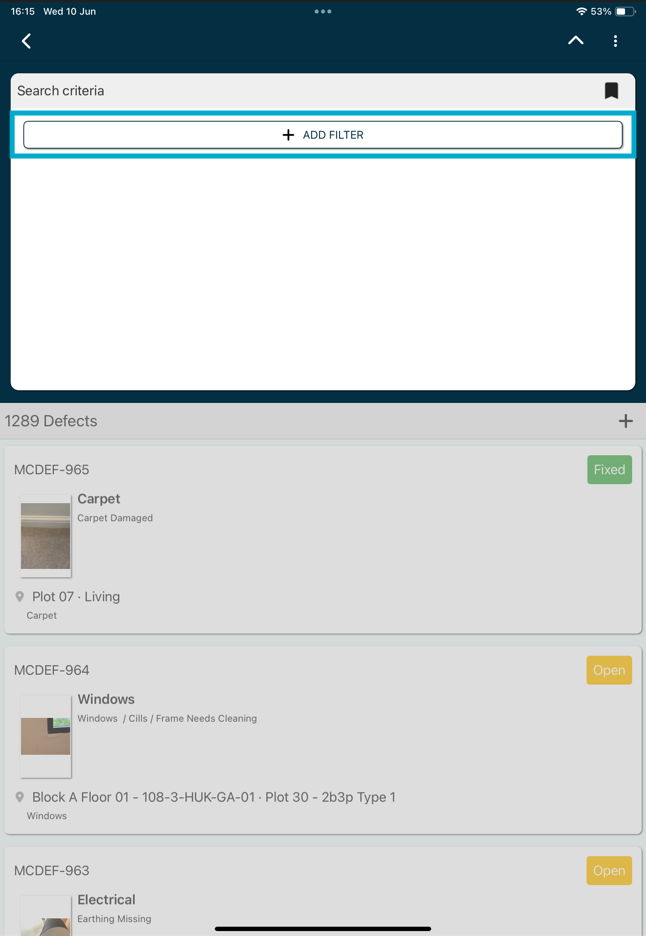
From here select "+ ADD FILTER".
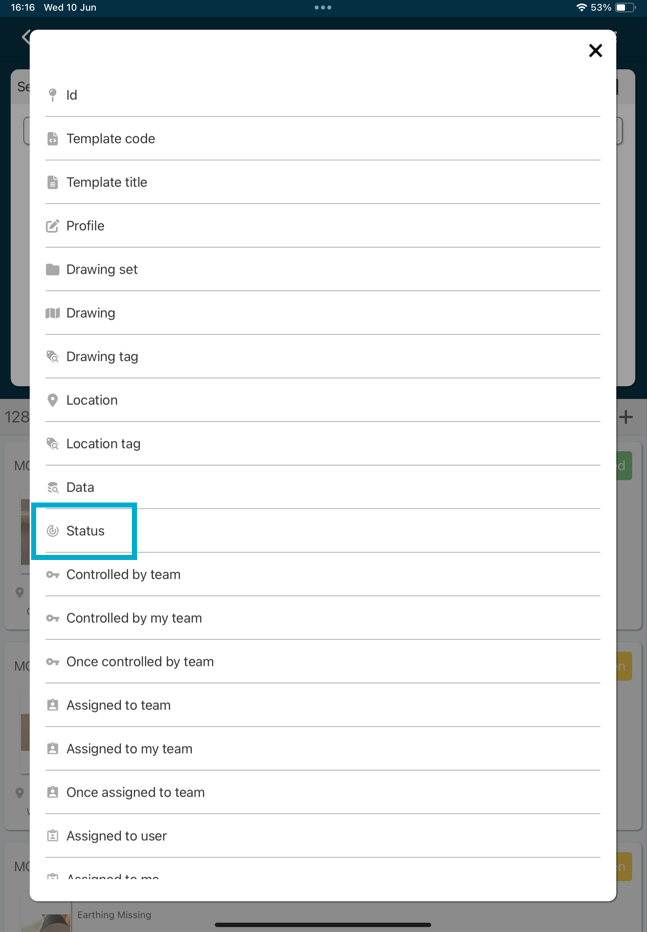
Select from the list of items you wish to search for, we will choose "Status" for this example.
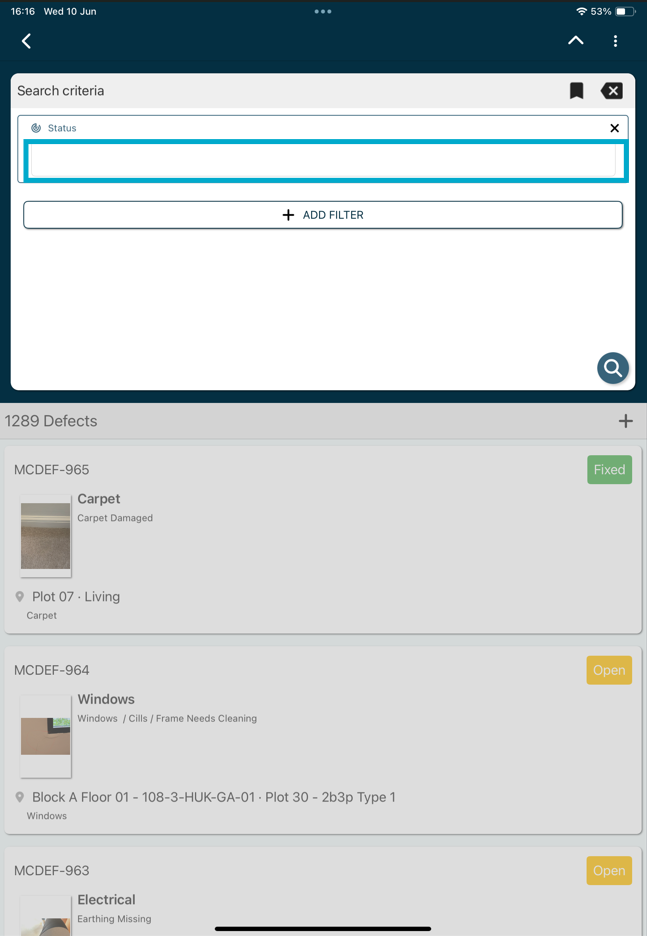
Once selected, click into the box highlighted to select the status you wish to filter by.
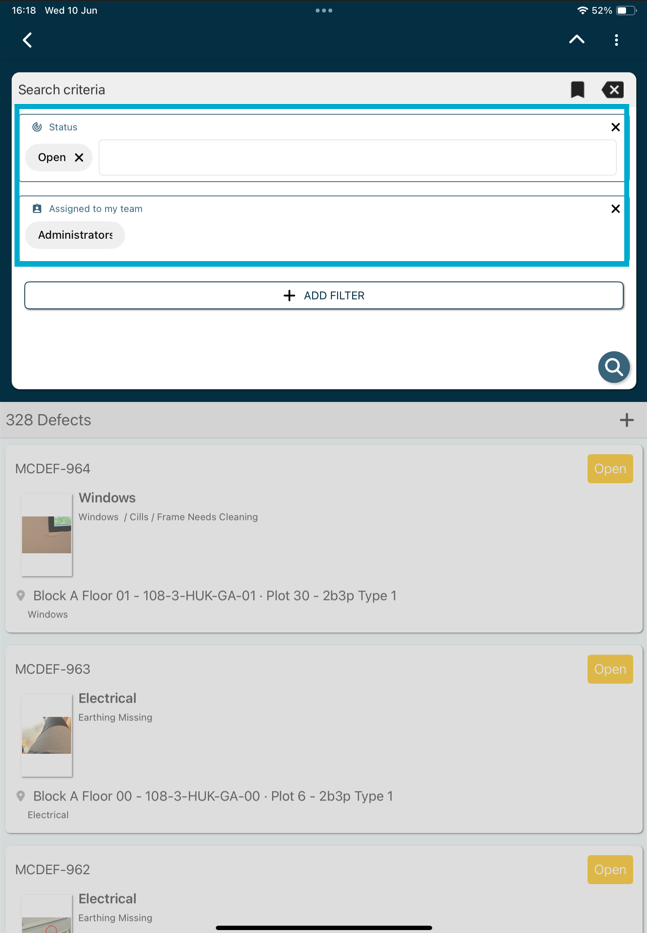
Once added you can then add multiple other filters to refine the search.
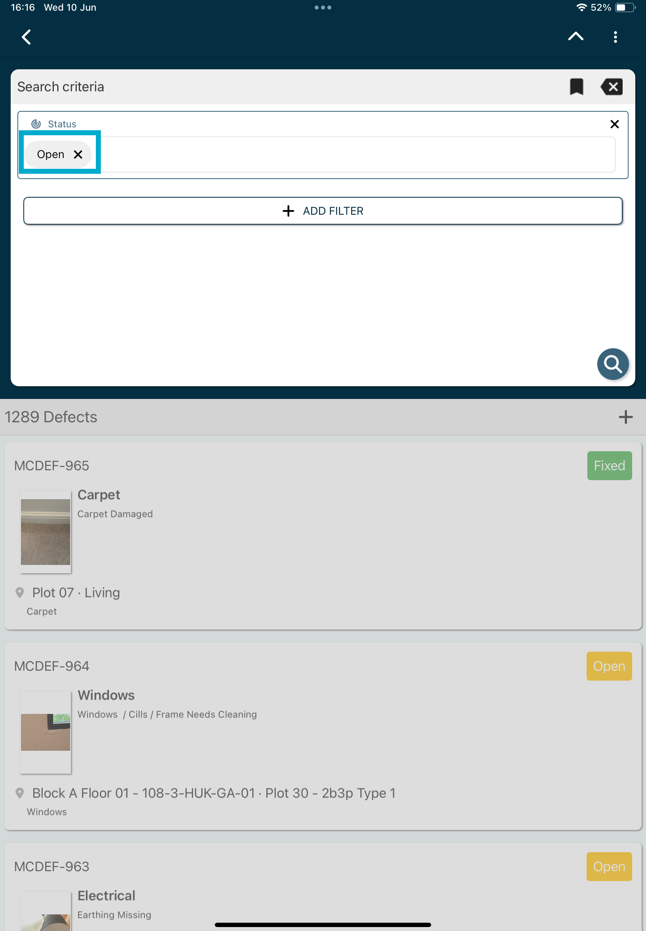
We have now added a
FAQs & Troubleshooting
Q: What is a saved filter bookmark?
A: A saved filter bookmark allows you to save a set of filter criteria for quick access in the future. This helps you avoid reapplying the same filters each time you view your data.
Q: Can I save multiple filter bookmarks?
A: Yes. You can create multiple bookmarks for different views, projects, teams, statuses, or reporting requirements.
Q: Will my saved bookmark be visible to other users?
A: In most cases, saved bookmarks are personal to your account. If your system supports shared bookmarks, your administrator will be able to advise on availability and permissions.
Was this article helpful?
That’s Great!
Thank you for your feedback
Sorry! We couldn't be helpful
Thank you for your feedback
Feedback sent
We appreciate your effort and will try to fix the article