 |

Overview
How to use the in app camera and gallery function to add photo evidence to your issue or record using RDrive
- Purpose: To add photos to issues/records using the RDrive App
- Who It’s For: All RDrive users
Prerequisites: RDrive account access, using RDrive app
Step-by-Step Instructions
✅ Taking photos with your device camera
- Using the app navigate to the issue or record you wish to add photos too, this will typically have a field at the top of the issue or record labelled "Main Photo", select the small camera icon on in the bottom right.
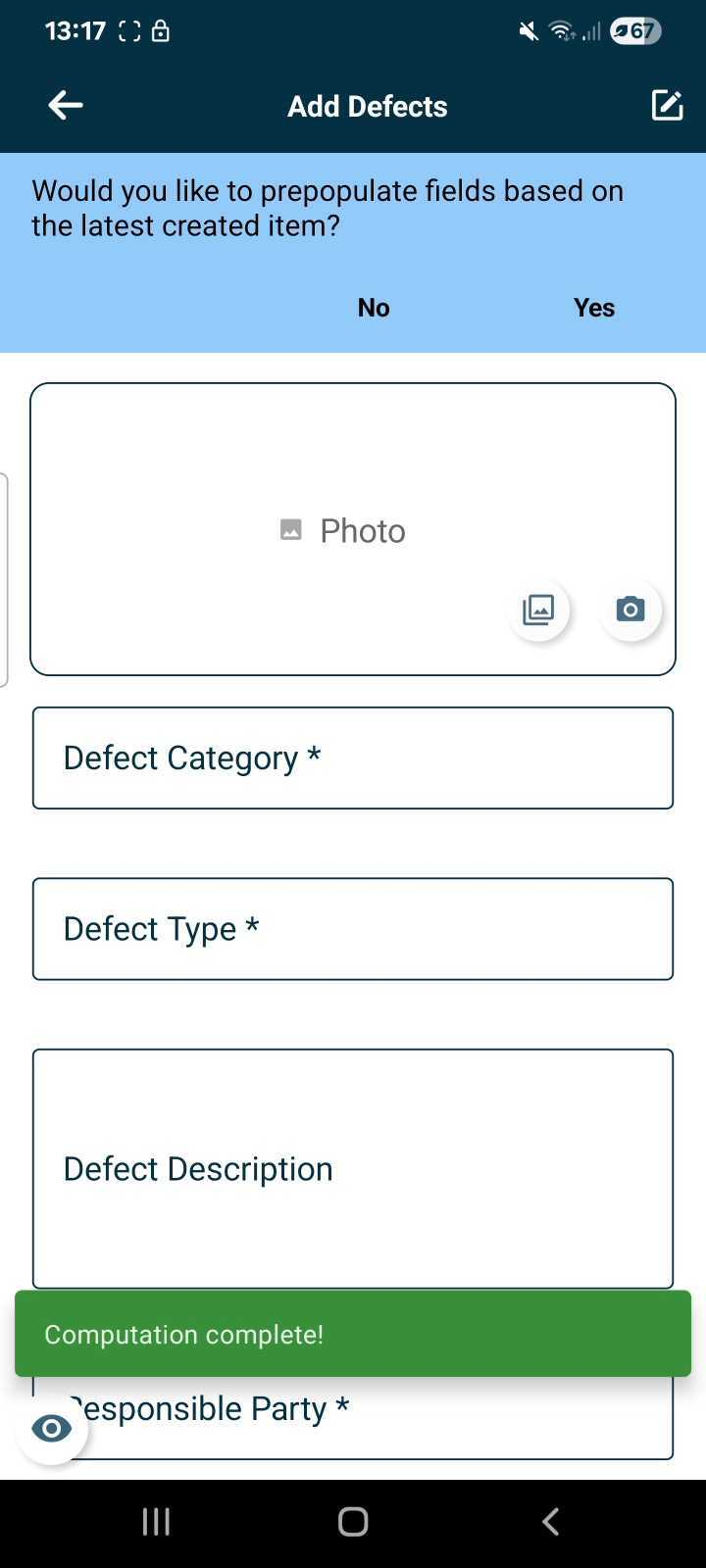
- This will then open your device camera allowing you to take an image of the issue and add this to RDrive
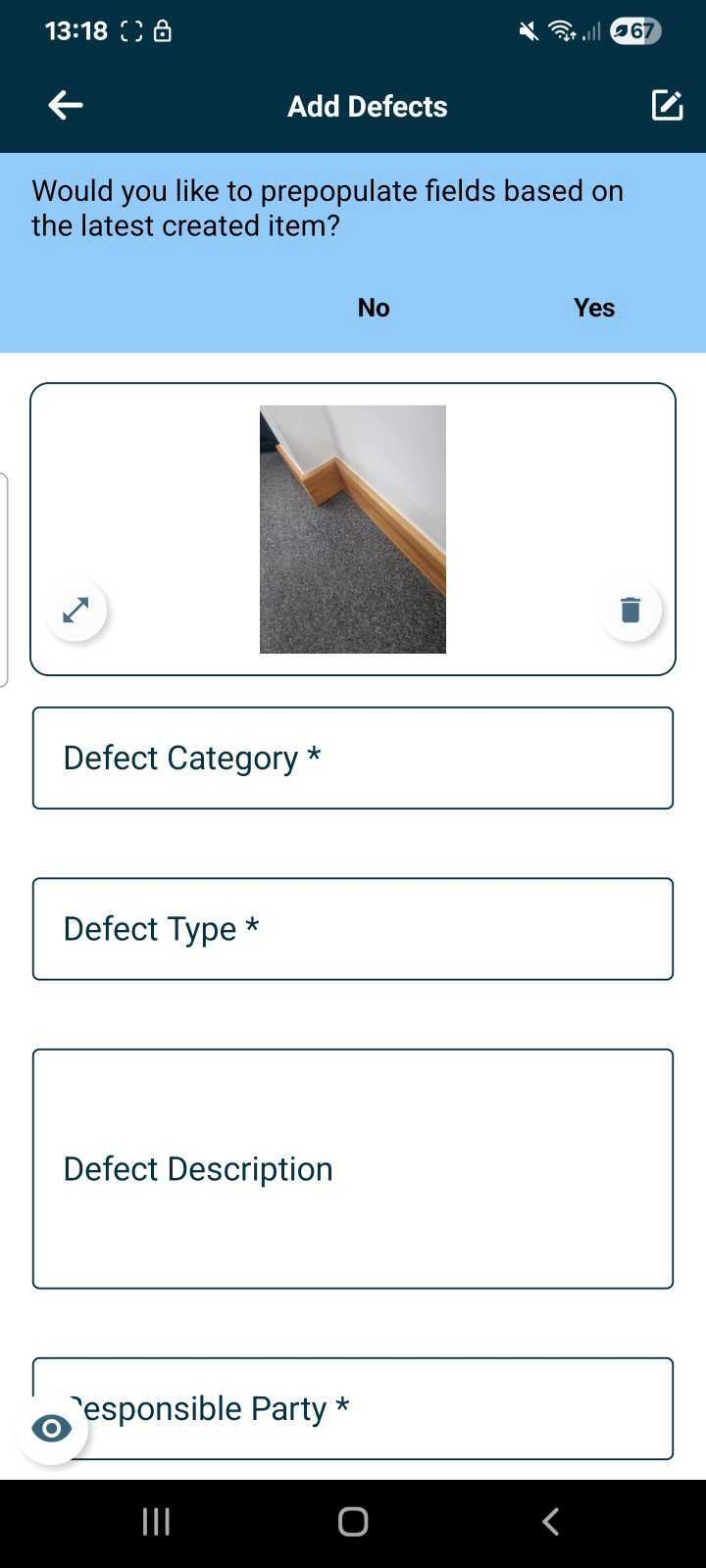
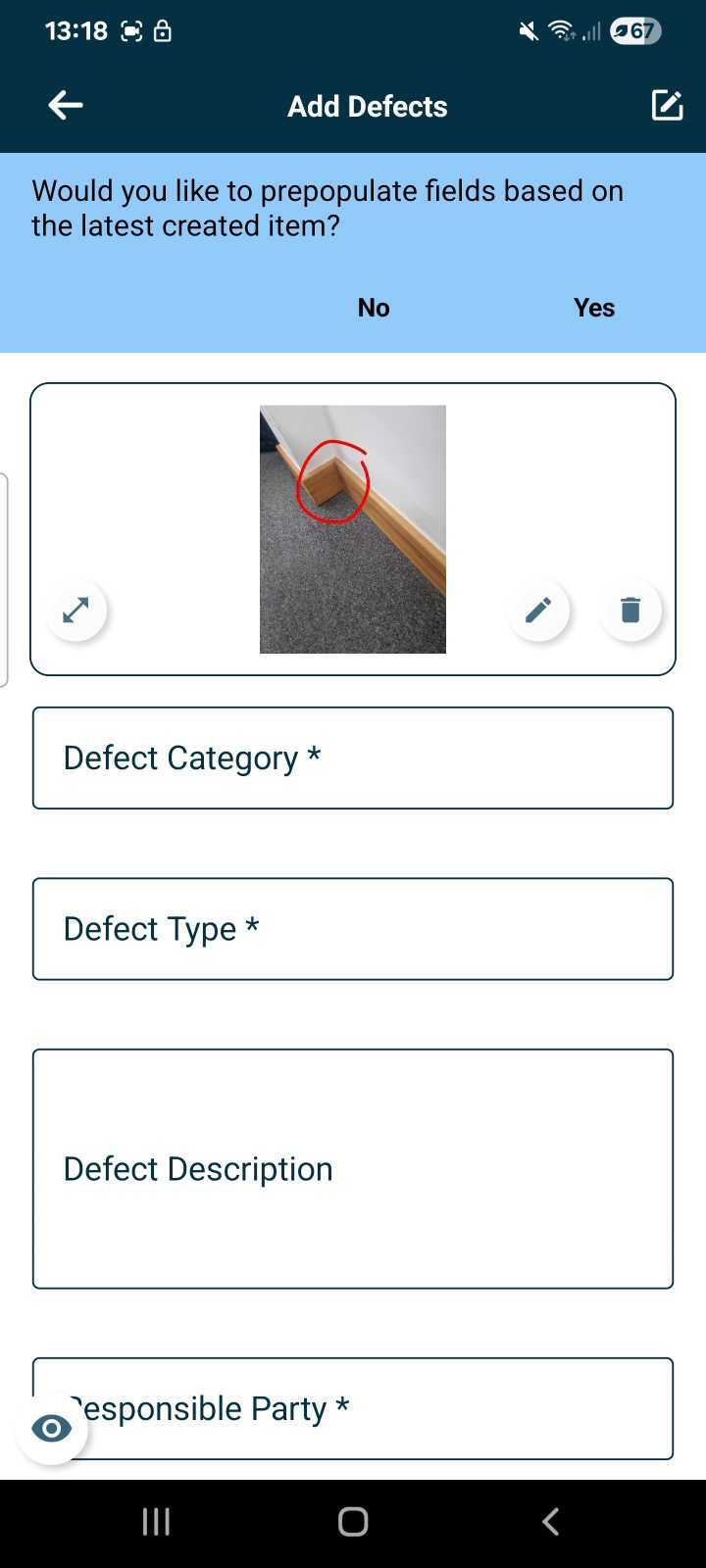
- Once the photo has been added you can enlarge and check this as well as mark using the pen icon to highlight areas of interest on the image, then hit save in the top right corner.
✅ Adding from the Gallery
- Should you have taken photos earlier and wish to add them from the device you are working on, click the "Gallery" icon and select the image you wish to upload.
- Once the photo has been added you can enlarge and check this as well as mark using the pen icon to highlight areas of interest on the image, then hit save in the top right corner.
✅ Best practices and additional information
- Please note you can only add and record geotagging data to photos taken within RDrive when using the app and taking the photos using the in-app camera function, not when adding from the gallery.
- For more on changing photo settings click here
FAQs & Troubleshooting
Q: Do photos taken within the app automatically save to my device?
A: No, to save space, as default the images are not saved to the device, however, you can change this within the settings from the "Drag up Menu" from the homes screen in the app and toggling this feature on.
Q: Can I use an external camera for better quality photos?
A: Yes, you can connect an external camera to your app from the "Drag up menu", settings, Connect to external camera. Ensure the cameras wireless settings are enabled and the device is findable to connect.
Q: Can I recover images deleted from the RDrive app?
A: No, if data is deleted it is removed from RDrive and is not recoverable. If you have the "Save images to device" setting toggled on you can find a copy of this image in your gallery.
Was this article helpful?
That’s Great!
Thank you for your feedback
Sorry! We couldn't be helpful
Thank you for your feedback
Feedback sent
We appreciate your effort and will try to fix the article