 |

Overview
A brief introduction explaining the purpose of this guide.
- Purpose: How to update the external reference of a process
- Who It’s For: General users
Prerequisites: Able to read and edit the item.
You can update the external reference (Ext ref) of a process in RDrive. Here’s how to do it:
Important: Not everyone has permission to edit a process’s external reference. If you're unable to perform this action, please contact your project administrator for assistance.
Via Finder
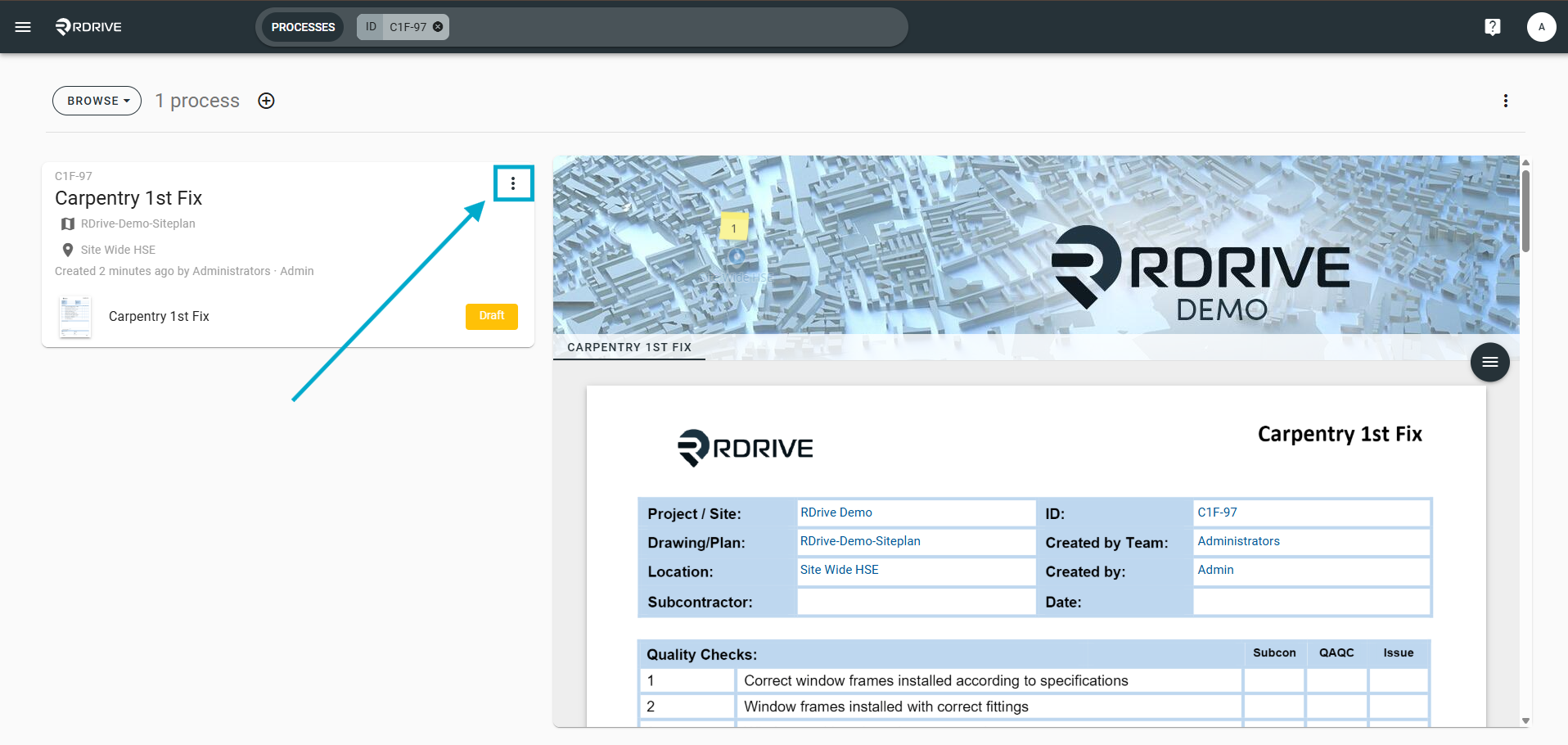
Once you find the process, click the three dots (⋮) to open the dropdown menu.
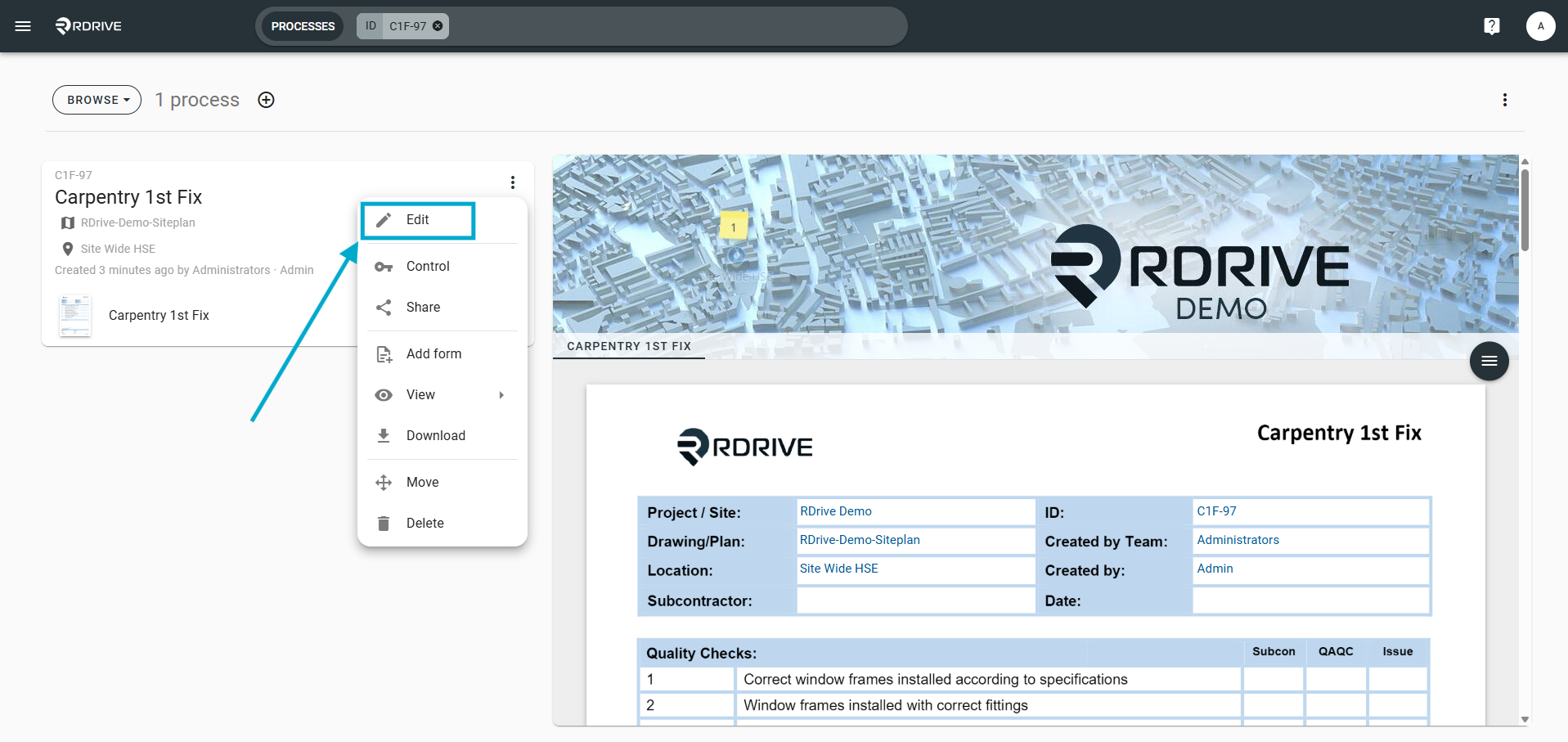
Click "Edit" to reveal the options.
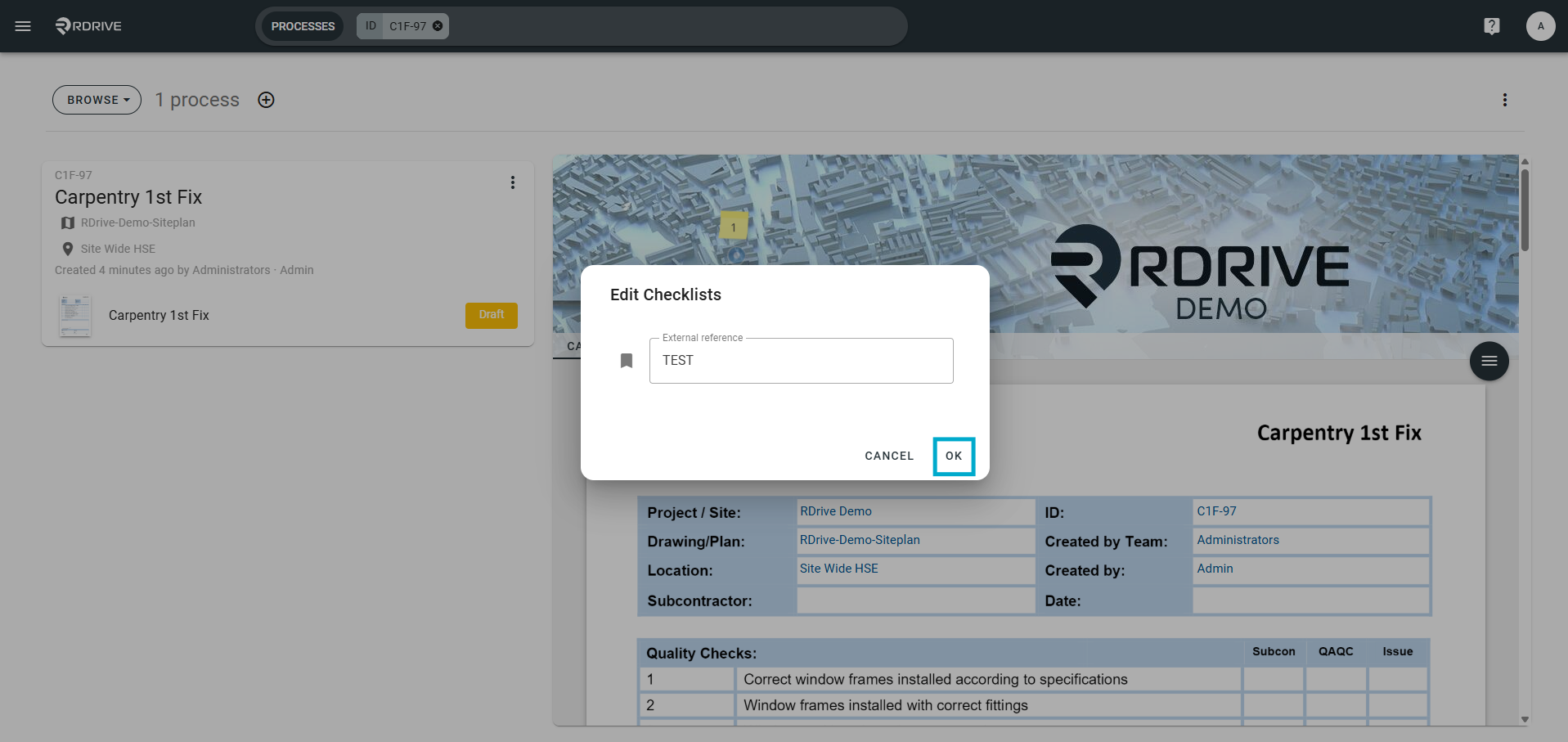
In the expanded menu, Edit or input the external ref. and click OK
Your process ext ref has now been successfully updated!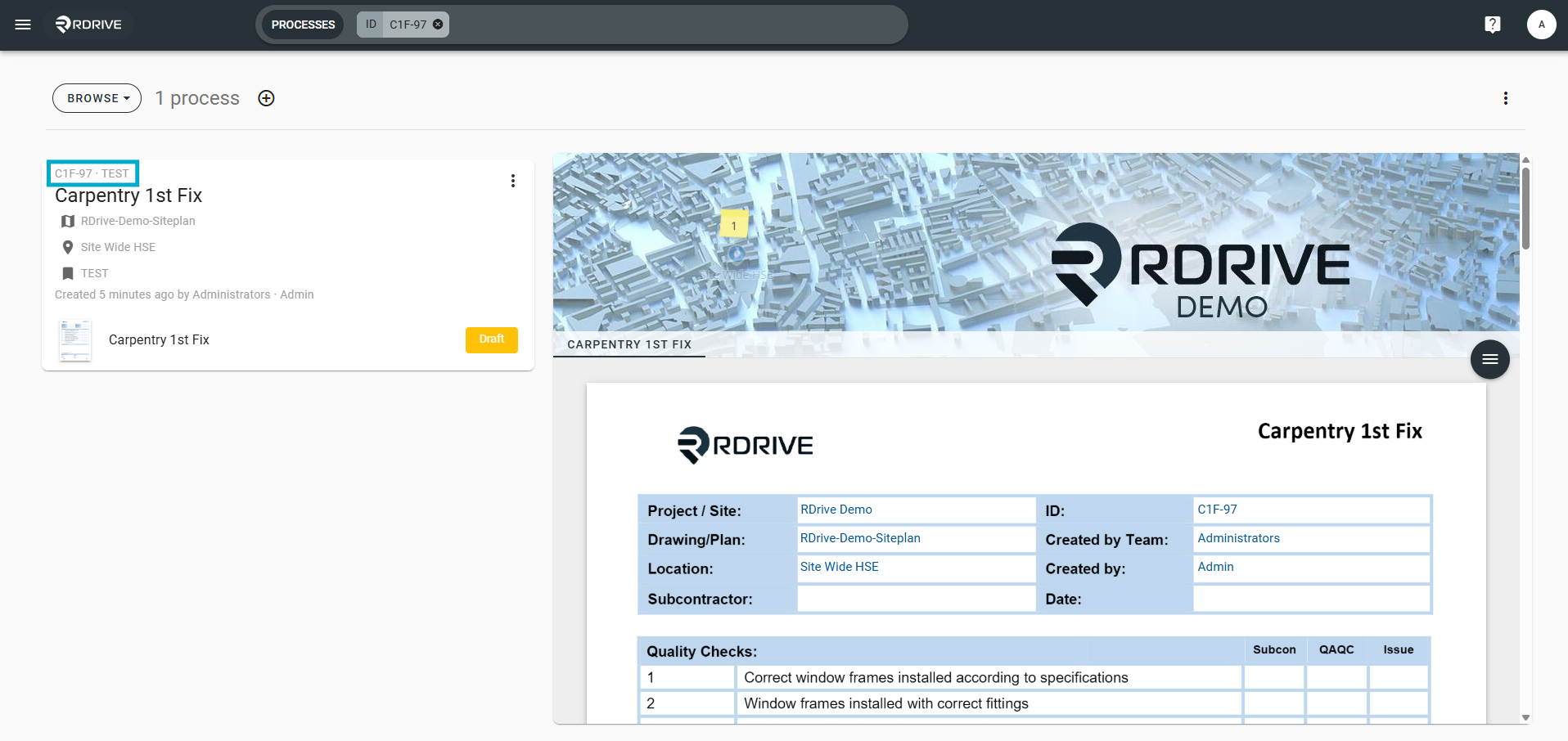
FAQs & Troubleshooting
Q: Can I change the reference of the same item more then once?
A: Yes, you can change the same items reference multiple times.
Q: Will an external reference show on the process itself?
A: No, this is just an external reference for you and the team and will only show within RDrive.
Was this article helpful?
That’s Great!
Thank you for your feedback
Sorry! We couldn't be helpful
Thank you for your feedback
Feedback sent
We appreciate your effort and will try to fix the article