 |

Overview
How to switch teams using the website/browser
- Purpose: How to switch teams within RDrive on the browser
- Who It’s For: General users
Prerequisites: RDrive access, To be in multiple teams
It may the case that you are placed within multiple teams on a project. Please note that your permissions on the project will be determined by the team that you are currently in.
If you find that you are unable to perform an action that you usually can then this is likely a result of being in the wrong team when attempting to do so.
From the Web, press the 3 line hamburger menu button at the top left corner of your screen and unfold it.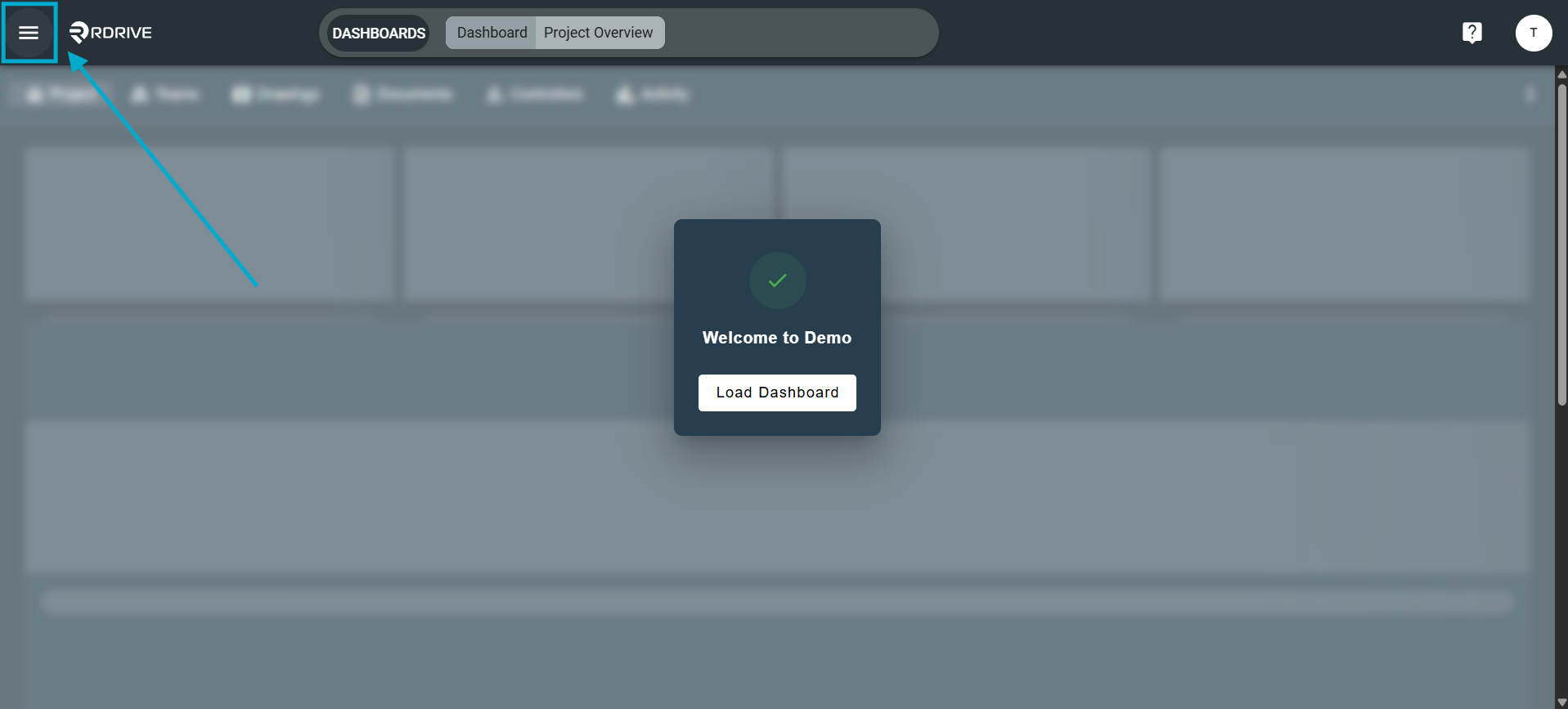
Here you will see the current team you are in next to the name of the project.
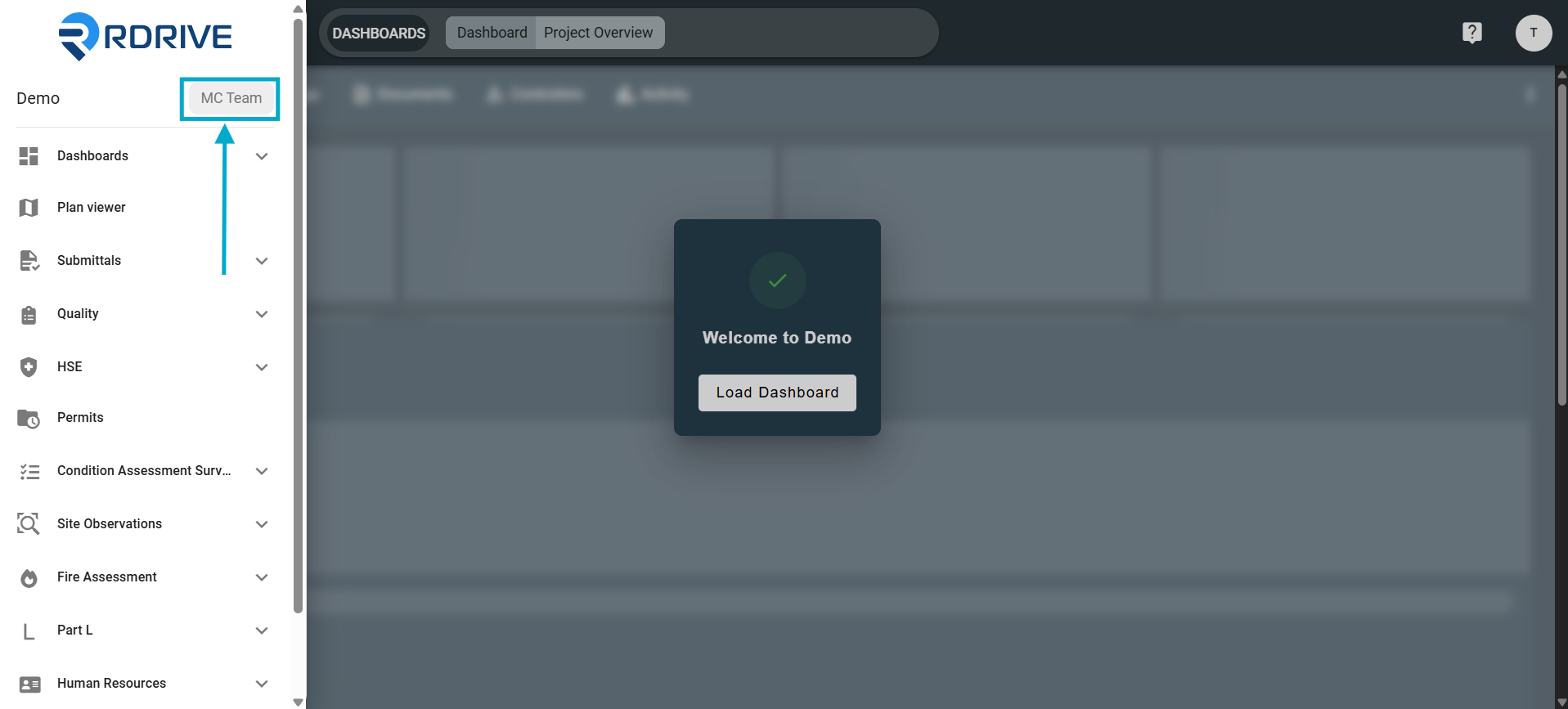
To change your Team, click on the Team name and the options will be presented in the window as shown below.
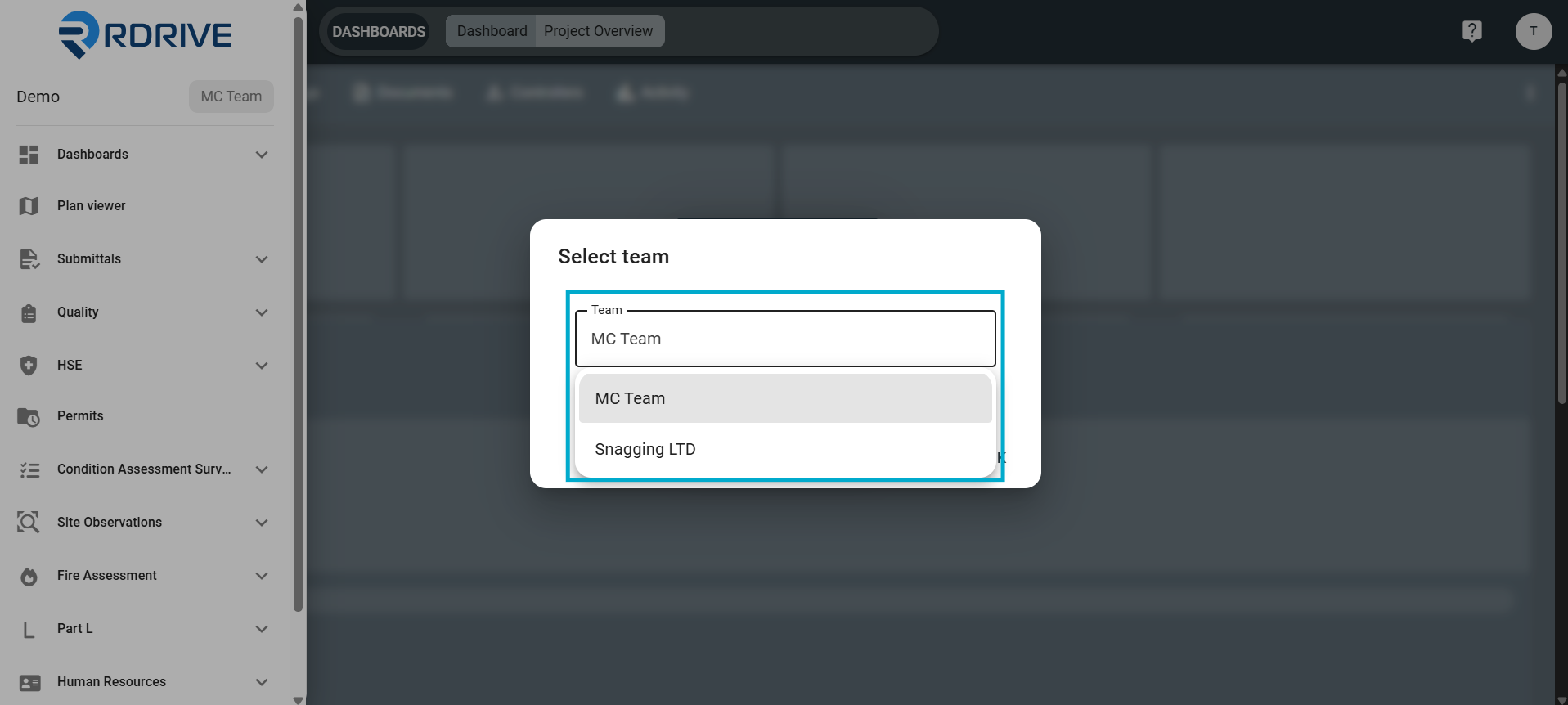
Once selected press "OK", this will then switch your team to the selected one and allow you to complete work based on your teams permissions and assigned items.
FAQs & Troubleshooting
Q: Why can't I see the team I need from the dropdown?
A: It may be you have not been added to the required team and would need to contact a project adminstator for this.
Q: If I have access to multiple teams, do I still need to switch team to respond to work?
A: Yes, you would need to switch team to the one required and cannot act as all teams you have access to at once.
Was this article helpful?
That’s Great!
Thank you for your feedback
Sorry! We couldn't be helpful
Thank you for your feedback
Feedback sent
We appreciate your effort and will try to fix the article