 |

Overview
How to switch your active team within the RDrive app
- Purpose: How to change your current team
- Who It’s For: General users
Prerequisites: Access to more than one team
It may the case that you are placed within multiple teams on a project. Please note that your permissions on the project will be determined by the team that you are currently in.
If you find that you are unable to perform an action that you usually can then this is likely a result of being in the wrong team when attempting to do so.
In RDrive, checking and changing teams can be done easily on both the Web and the App. Here we will show how to do this on the mobile App. To view how to do this on the web, press Here.
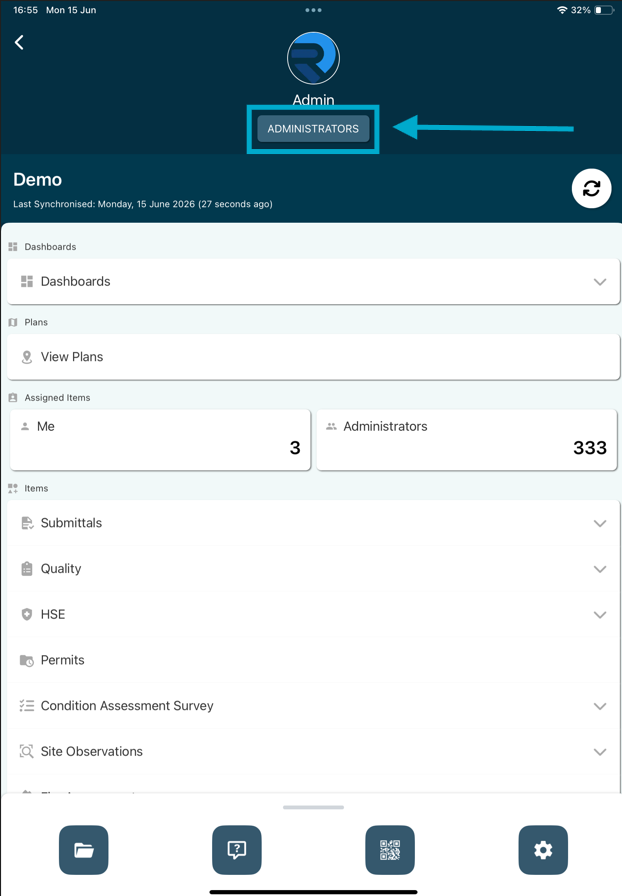
On the App Landing Page you will see your name and also the team you are currently in. To change your team, simply press the Team name shown and the options will be available to select as shown below:
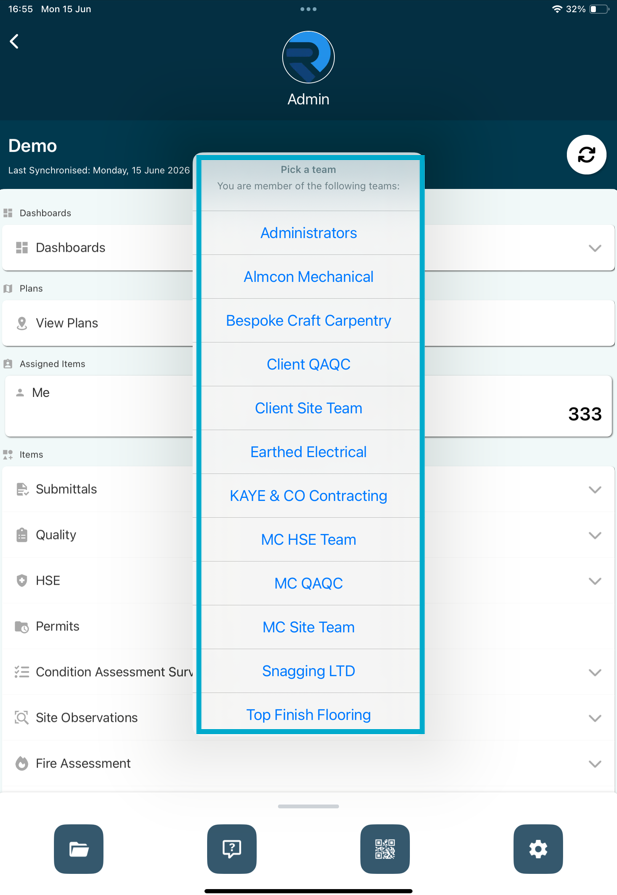
This will then show a list of all teams you are a part of, select the required team from here.
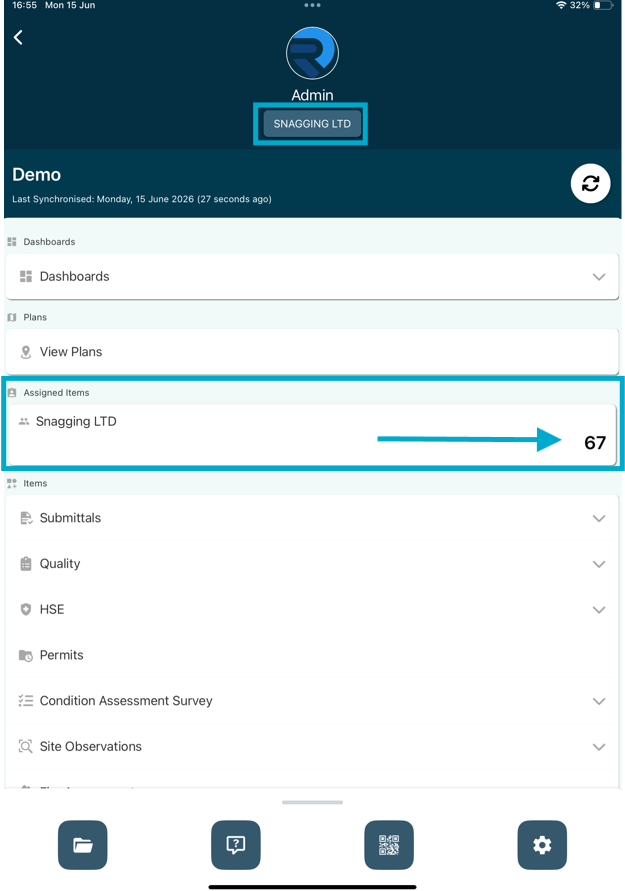
Your team will then change. This will also adjust items assigned to specific teams you can see on your device.
FAQs & Troubleshooting
Q: Why would I need to switch teams in the mobile app?
A: Switching teams allows you to view and work on items assigned to a different team within the same project. This is useful for users who are members of multiple teams or have responsibilities across different workstreams.
Q: Why can't I see the team I want to switch to?
A: You can only switch to teams that you have been assigned access to. If a team is missing, contact your project administrator to confirm your team membership and permissions.
Q: Will switching teams affect my existing work or data?
A: No. Switching teams only changes the data and items displayed within the app. Your existing work, completed items, and project data will remain unchanged.
Was this article helpful?
That’s Great!
Thank you for your feedback
Sorry! We couldn't be helpful
Thank you for your feedback
Feedback sent
We appreciate your effort and will try to fix the article